DataNova Software

PracticeWatch · PracticeCam for Android · iPhone planned

Every angle of practice, watched on the spot.

PracticeWatch turns coaches' or athletes' own phones into practice cameras, for any sport. PracticeCam streams each phone over the local Wi-Fi to the coach's PC, the PC lays out up to four angles to suit how many phones are connected and how each is held, and coaches and athletes watch live on a tablet at the side of the field, court or ice: scrub back through the last five minutes, save a replay of the moment that mattered, and review it with notes after practice.

PracticeWatch is software, delivered as a download: PracticeWatch Server for the coach's Windows PC or Mac, unlocked by a yearly licence key (CA$99 a year, with a free 7-day trial), and PracticeCam, a free app for the phones. It works with the phones, computer and tablets you already have; we don't sell hardware.

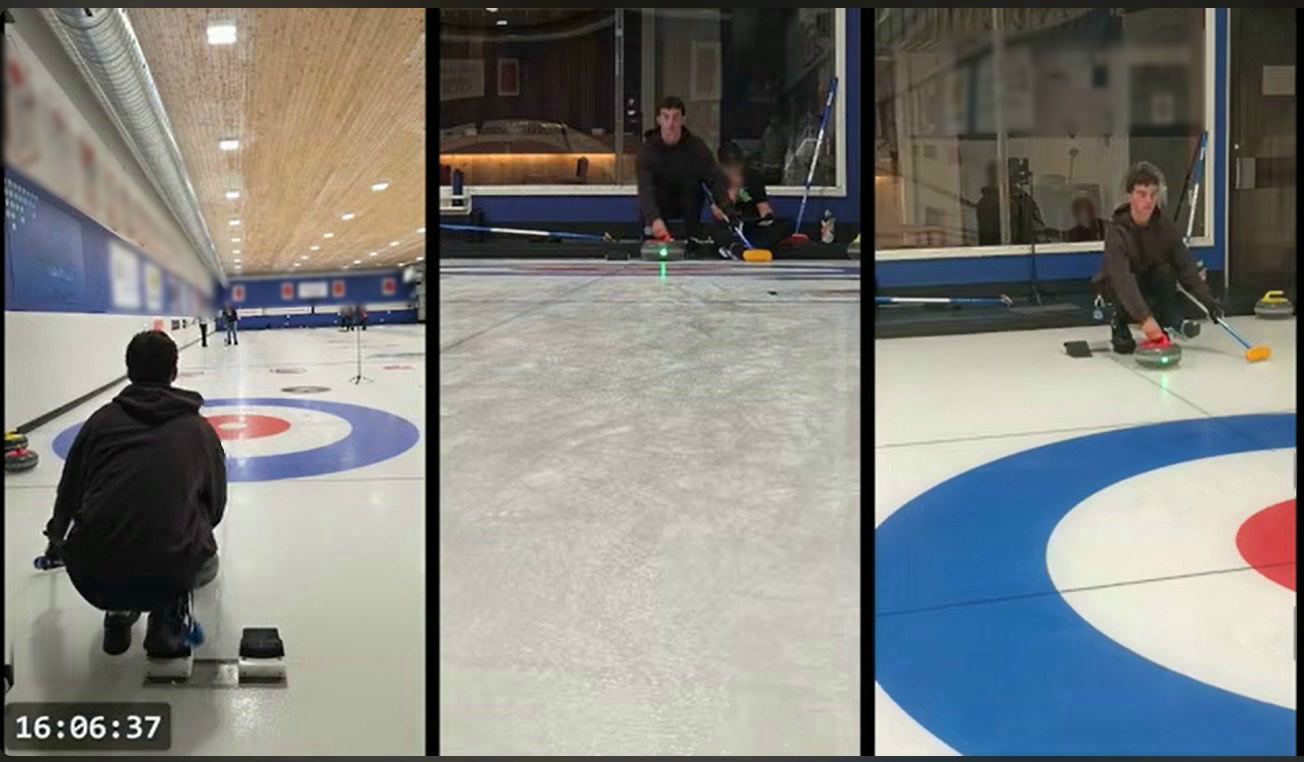
Three phone cameras at a curling practice shown side by side: the delivery from behind, the far end looking back up the sheet, and the house from the side

How it works

PracticeCam, on the phones

A coach's or an athlete's own phone, on a stand, becomes a camera. Pair it by scanning a code on the PC, and it streams to the PC over the local Wi-Fi, held upright or sideways. Its screen shows what it sends, which scene it is in, and a network light that turns amber or red when that phone's Wi-Fi can't keep up. PracticeCam is for Android; an iPhone version is planned.

PracticeWatch Server, on a PC or a Mac

The coach's Windows PC or Mac receives the cameras and builds the stream around them. For up to four phones, it offers the layouts that fit how many are connected and whether each is held upright or sideways, with every phone shown whole, never cropped: full frame, side by side, stacked, a mix of upright and sideways, or a grid, in a landscape or portrait picture. It streams the result to the tablets and records it. It is run from a web page, on the PC or on a tablet.

Watching, in any browser

Coaches and athletes watch on a tablet or phone in the browser, with nothing to install: live, with the last five minutes to scrub back through. Save Replay keeps the last minute for an athlete. Recordings play back with notes, and a slider trims the part worth keeping into its own clip. An app for iPhone and iPad is planned too.

The phones, the tablet and the PC

What each part looks like at a curling practice. PracticeWatch works the same way for any sport.

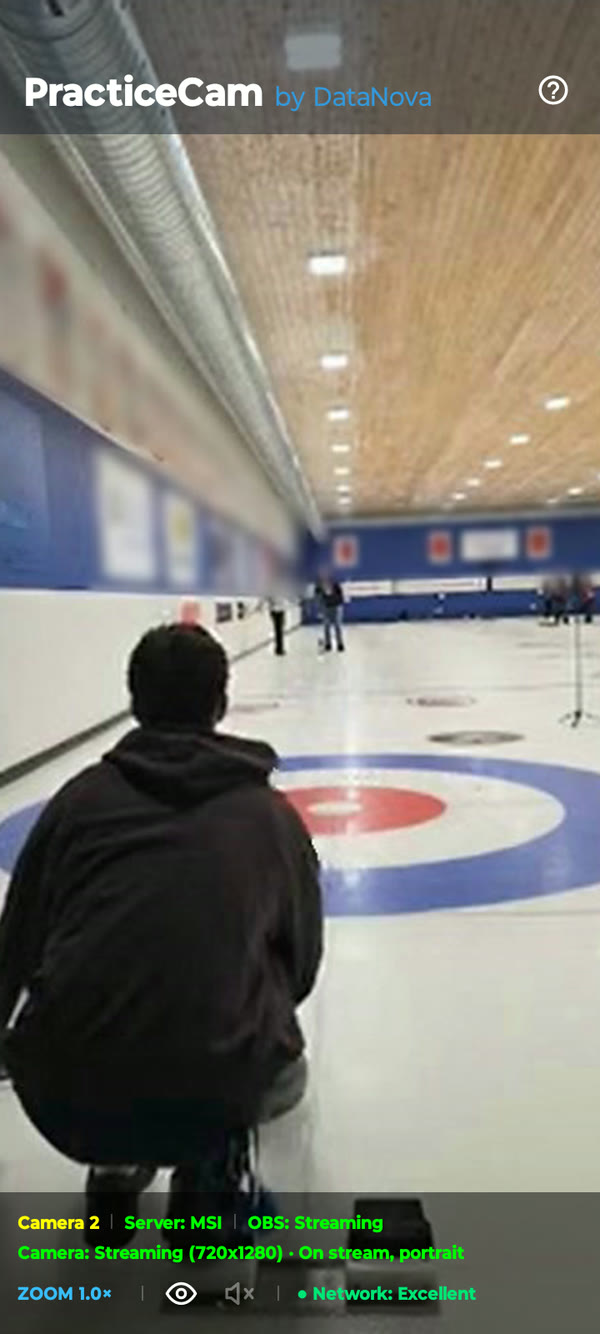
PracticeCam on a phone: the delivery end of a curling sheet, with Camera 2, Server: MSI, On stream and the network light reading Excellent
PracticeCam behind the thrower: its camera number, the server, its scene and its network light.
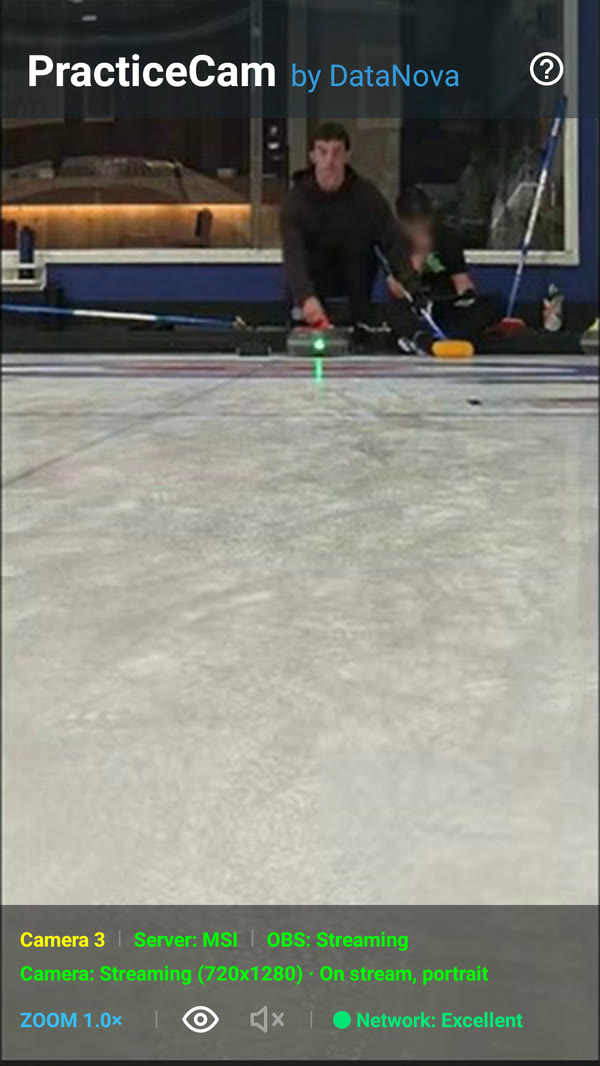
PracticeCam on a phone at the far end, looking back up the sheet at a player delivering a stone
A second phone at the far end, looking back up the sheet.
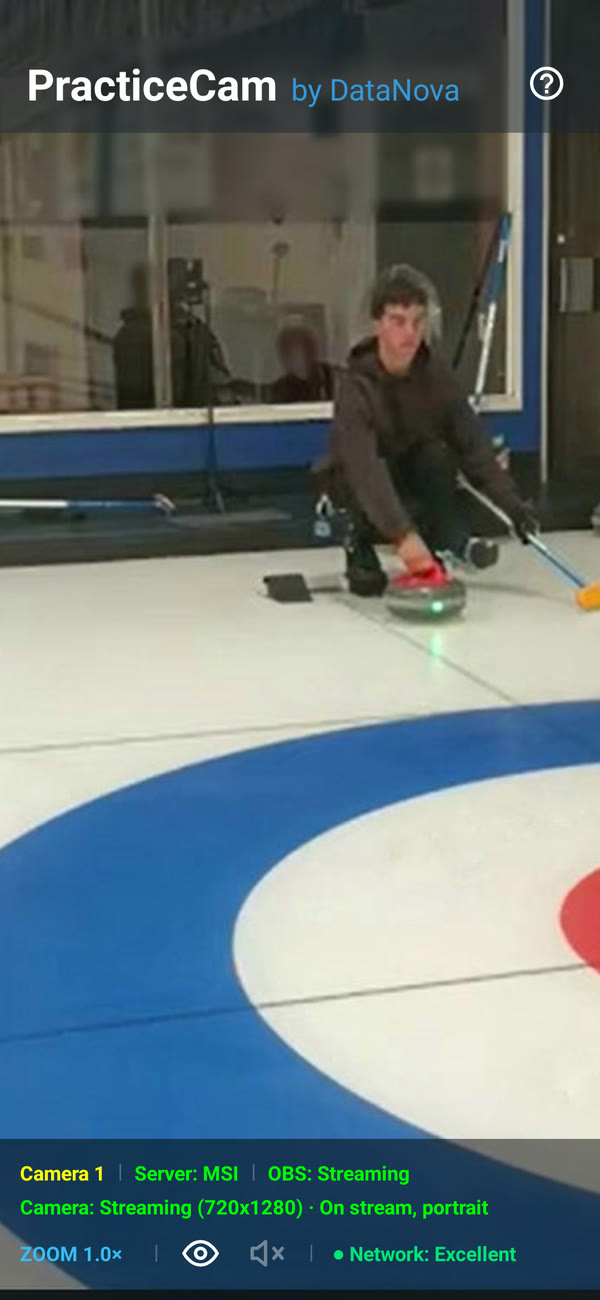
PracticeCam on a phone beside the house, showing On stream, portrait
A third at the house. On stream, a phone keeps its orientation until the scene changes.
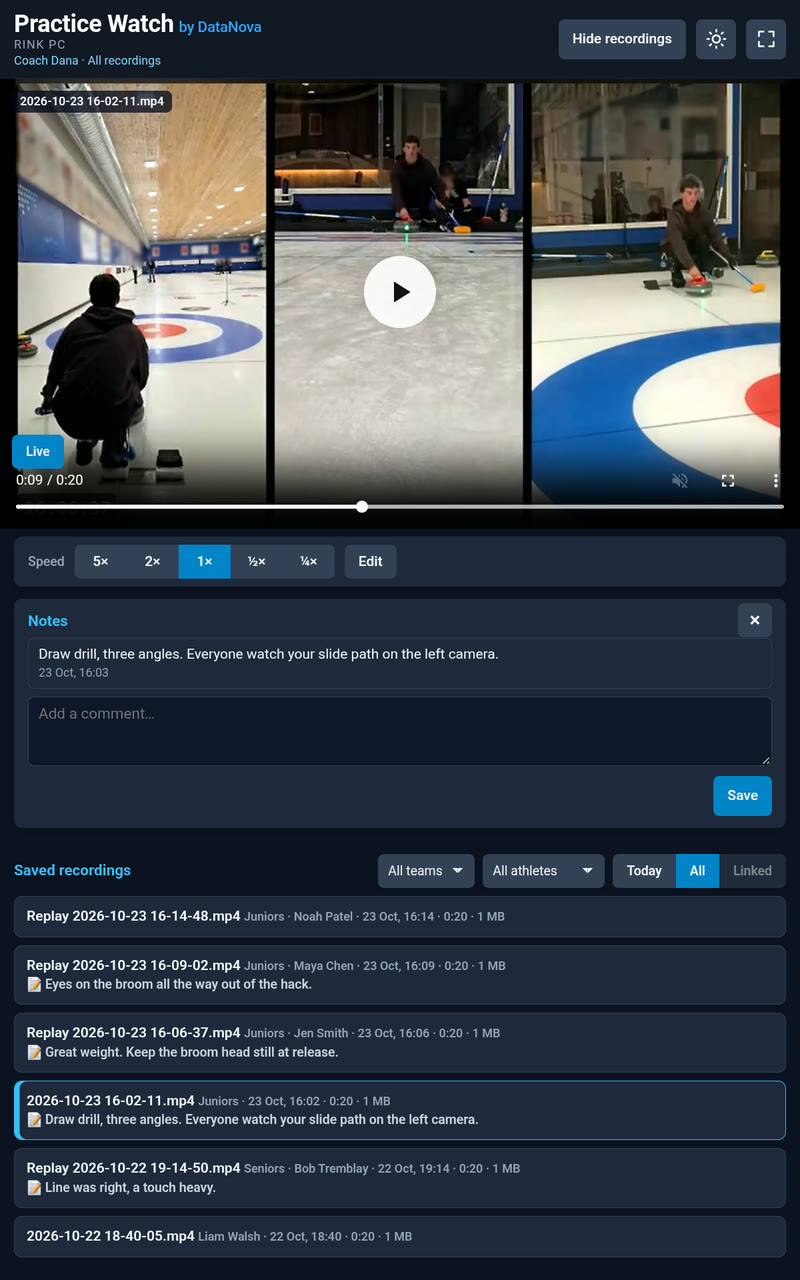
The watching page on a tablet: a three-camera drill recording with its note, and the list of saved recordings by team and athlete
On the tablet: a three-camera drill, its note, and the recordings by team and athlete.
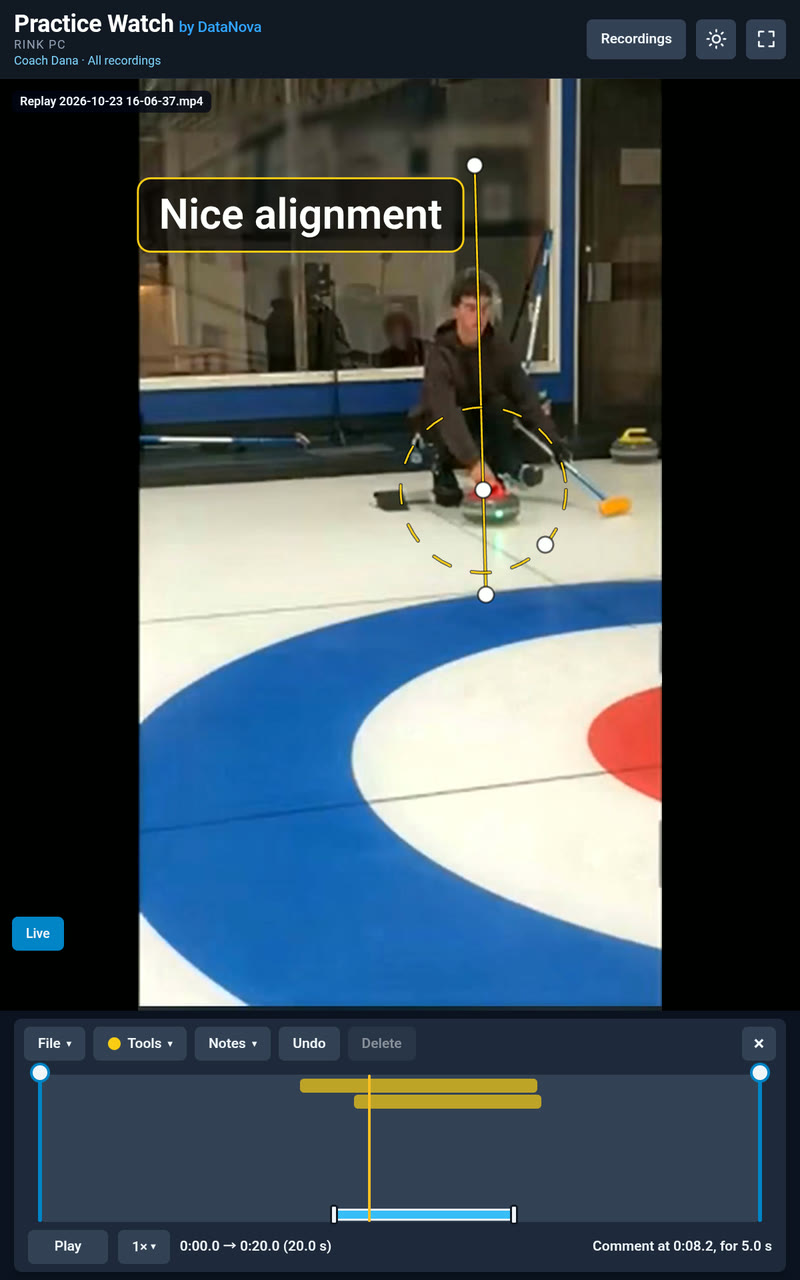
The watching page on a tablet: an athlete's replay paused in Edit, with a thin line along the delivery, a dashed circle around the stone, the coach's comment Nice alignment, and the timeline showing when each appears
An athlete's replay with the coach's line, circle and comment on the picture, and the timeline under it showing when each appears.
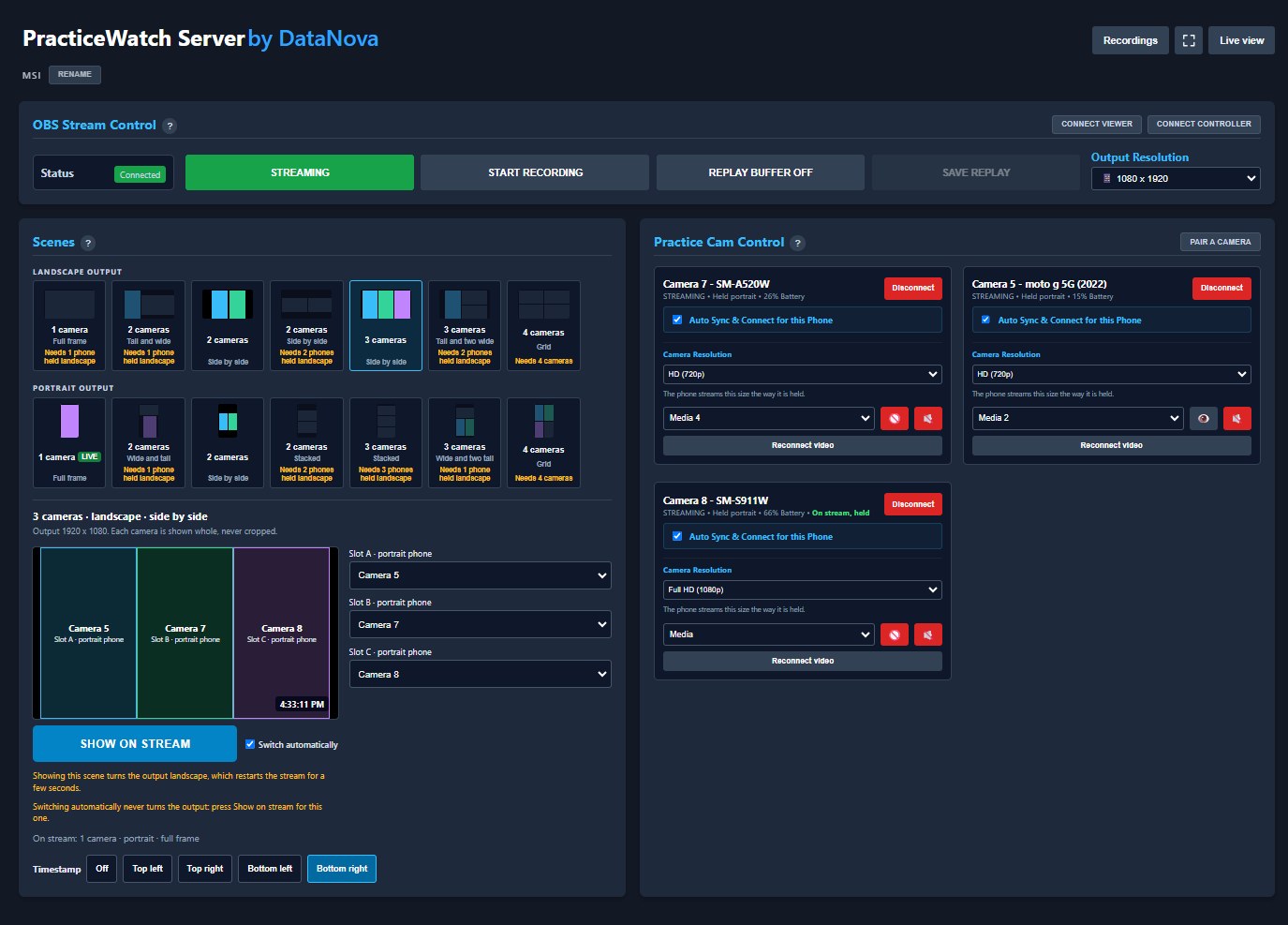
The PracticeWatch Server control page: layouts for one to four cameras in a landscape and a portrait output, three upright phones being set side by side, and the three connected PracticeCam phones with how each is held
On the PC: the layouts for one to four phones, in a landscape or a portrait picture, each marked with what it needs when the connected phones can't fill it. Here three upright phones are set side by side; on the right, each phone shows how it is held.

Recordings and live playback

Live, and the last five minutes

On a tablet or phone at the side, the stream runs live in the browser, and the scrub bar goes back through the last five minutes to see a moment again. While the replay buffer is on, Save Replay keeps the last minute or so as a replay for the athlete or team it was for, with a note if there is one to add.

The whole practice, and clips from it

Start Recording on the control page records the whole practice. Review it afterwards and use a slider to trim highlight clips; the full recording stays as it was. Notes are kept beside each recording, replay and clip.

Filed by team and athlete

Every recording, replay and clip is filed as it is made, in the athlete's folder, the team's, or both, on the coach's own PC. PracticeWatch uploads nothing anywhere, and the folders are ordinary ones the coach can back up or clear out.

Sharing with athletes and parents

A coach can hand out a viewer link as a code to scan: for all recordings, one team, or one athlete. Whoever has it watches live and plays back only what the link allows, with nothing to delete, and the coach can revoke it at any time; the PC's password is never shared. The videos are ordinary files too, so a coach can also share one on a site such as YouTube, as an unlisted video, or a private one shared with chosen people.

Get PracticeCam

PracticeCam is the camera app for PracticeWatch, free on Google Play in Canada and the United States. An iPhone version is planned. It needs a PracticeWatch Server on the same network.

Get it on Google Play

PracticeCam requires Android 8.0 or later with a rear camera. PracticeWatch Server runs on a Windows 10 or 11 PC, where an NVIDIA graphics card is recommended, or on a Mac with Apple silicon and macOS 13 or later. The phones, the PC and the tablets must share one Wi-Fi network; 5 GHz works best with several cameras. For stands, power and Wi-Fi, see recommended gear.

Get PracticeWatch Server

PracticeWatch Server runs on the coach's Windows PC or Mac: it takes in the phones' pictures, lays them out, streams them to the tablets and records the practice. It installs in one click on Windows, or by dragging it to Applications on a Mac, with everything it needs, OBS Studio included.

Try it free: every feature for 7 days, no key needed. After that it keeps working with one camera; a key unlocks up to four cameras for a year: see Buy a key.

Download for Windows Finding the latest version…

Download for Mac Finding the latest version…

Windows 10 or 11, 64-bit; an NVIDIA graphics card is recommended; recording needs about 3 GB of free disk space an hour at 720p, 5 GB at 1080p. The first start asks once, with the PC's administrator, to let the phones through the firewall.

Mac: Apple silicon (M1 or later) and macOS 13 or later; recording needs about 3 GB of free disk space an hour at 720p, 5 GB at 1080p. Drag PracticeWatch to Applications; its first start asks once to let it find the phones on the local network.

Installing PracticeWatch means accepting its terms of use. It includes OBS Studio (GPL), FFmpeg (LGPL 2.1) and MistServer, each under its own licence: their licences and source code.

Buy a key

PracticeWatch Server is free for 7 days with everything, then shows one camera at a time. A key unlocks up to four cameras for a year, and the control page shows the name it was bought for.

CA$99 a year, plus tax where it applies

Download PracticeWatch Server now and use every feature free for 7 days, with nothing to pay and no key: see Download. After that, one camera stays free, and a key unlocks up to four.

To buy a key, write to us at sales@datanovasoft.com with the name for the licence: yours or your team's, as the control page will show it. We'll reply with how to pay CA$99 for the year, and send your key.

Email us for a key

See the terms and refunds and the privacy policy.

DataNova Software

DataNova Software Incorporated is an independent software company based in Nova Scotia, Canada, providing software and professional services since 2008. See all our apps.

Contact: info@datanovasoft.com